Building a Personal Life Ecology Application
In this tutorial, we will build a Python application that models a "Personal Life Ecology". Instead of a single entity, we will create a rich graph of connected entities representing a person, their relationships, and their financial activities.
This tutorial uses the code and data provided in the tutorials/ directory of the OpenGIN repository.
Scenario
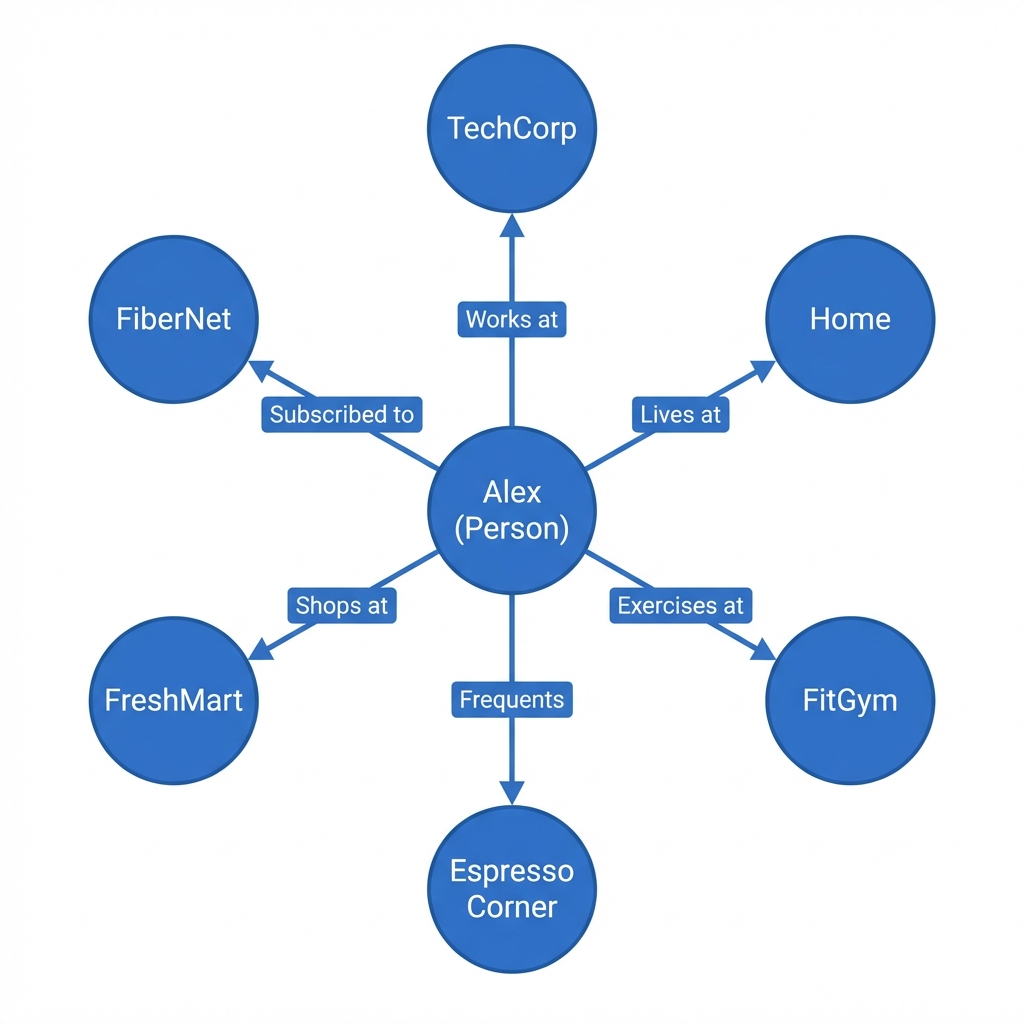
We are modeling the life of Alex, a software engineer.
- Central Entity: Alex (Person/Individual)
- Relationships:
- Works at TechCorp
- Lives at Home
- Exercises at FitGym
- Frequents Espresso Corner (Cafe)
- Shops at FreshMart (Supermarket)
- Subscribed to FiberNet (ISP)
- Tabular Data:
- Expenses: Monthly spending record linked to entities.
- Income: Monthly income record linked to employers/sources.
Project Structure
Navigate to the tutorials/ folder to see the implementation:
my_first_opengin_app.py: The Python script that performs the ingestion.data/: Contains the source data.entities.csv: Definitions of Alex and related organizations/places.relationships.csv: Graph edges connecting the entities.expenses.csv&income.csv: Tabular financial data.metadata.json: Additional key-value pairs for entities.
Implementation Details
The application script (my_first_opengin_app.py) demonstrates best practices for ingesting complex data into OpenGIN.
1. Two-Phase Ingestion Strategy
To satisfy referential integrity (you can't link to an entity that doesn't exist yet), the script uses a 2-pass strategy:
- Phase 1 (Creation): Iterate through
entities.csvand create all entities usingPOST /entities. At this stage, we ingest Metadata and Attributes (like Expenses tables), but exclude relationships. - Phase 2 (Linking): Iterate again and use
PUT /entities/{id}to update the entities, adding their Relationships. We strictly exclude immutable fields likeKindduring this update.
2. Handling Tabular Attributes
The script reads expenses.csv using pandas and converts it into OpenGIN's tabular attribute format:
"attributes": {
    "expenses": {
        "values": [
            {
                "startTime": "...",
                "value": {
                    "columns": ["Month", "Category", "Amount"],
                    "rows": [["Jan", "Internet", "50"], ...]
                }
            }
        ]
    }
}
Running the Tutorial
Prerequisites
- OpenGIN running locally (Ingestion API at port 8080, Read API at port 8081).
- Python 3.8+ with
pandasandrequestsinstalled (pip install pandas requests).
Commands
The script provides a CLI for easy interaction.
1. Create Data (Ingest)
python tutorials/my_first_opengin_app.py create
Output: You will see "Creating Entity..." logs for Phase 1 and "Linking Entity..." logs for Phase 2.
2. Verify Data
python tutorials/my_first_opengin_app.py verify
Output: This queries the Read API to confirm "Person" entities were created successfully.
Next Steps
- Explore the
tutorials/data/CSV files to see how the data is structured. - Modify
my_first_opengin_app.pyto add a new entity (e.g., a "Friend") and link them to Alex.